
Most carousels get a like and vanish. The save-worthy ones get filed away, sent to a friend, and pulled up again next week.
That gap is the whole game now. To build save-worthy Instagram carousels with AI, you need two things. A repeatable framework, and prompts that turn a blank slide into copy people keep.
This guide gives you both. You will get the exact hook-to-CTA structure we use. You will get copy-paste prompts for slide copy and design. You will get ideal slide counts and a save-worthy checklist.
We will also cover why saves and shares matter more than ever. The 2026 Instagram algorithm rewards content people return to. Carousels are built for exactly that. Let us make yours impossible to scroll past.
Why Saves and Shares Decide Your Reach Now
Likes are quiet. Saves and shares are loud.
Instagram reads a save as a strong signal. It means the post was worth keeping. A share means it was worth passing on.
For Feed, Adam Mosseri points to five interactions Instagram weighs most. Dwell time, comments, likes, shares, and profile taps (Source: Buffer, 2026 — buffer.com).
Shares carry real weight in 2026. Instagram now treats sends and shares as a top distribution signal (Source: Later, 2026 — later.com).
Carousels are built to earn both. Each swipe adds dwell time. A strong slide begs to be sent.
There is a bonus, too. Instagram re-shows carousels in Feed to people who did not finish swiping. That gives your post a second life.
So the job is simple. Make something people want to keep and pass on. Not something pretty they scroll past.
Q: Are saves more valuable than likes on Instagram?
A: Yes, for reach. A save tells Instagram the post is worth returning to, which is a stronger quality signal than a like. Reference and how-to carousels earn the most saves, so they get pushed to more feeds.
The Save-Worthy Carousel Framework
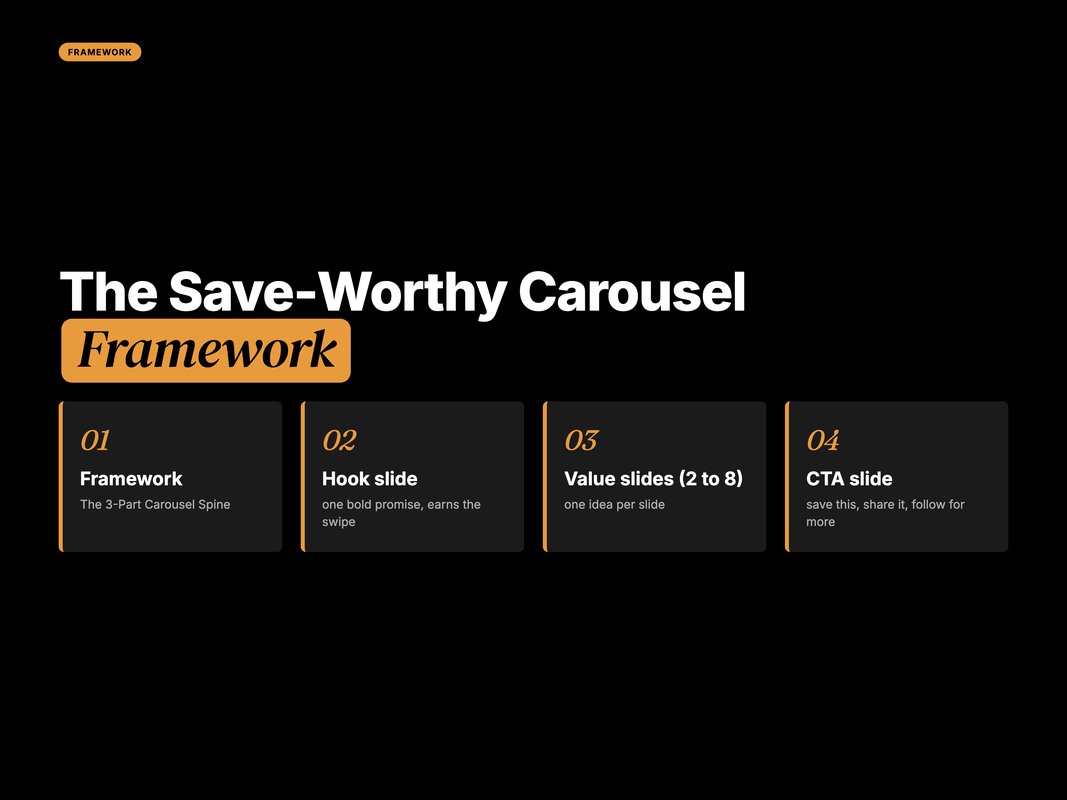
Every save-worthy carousel follows one shape. Hook slide, value slides, CTA slide.
Call it the 3-part carousel spine. It is boring on purpose. Boring structure lets your ideas do the work.
Slide 1 — the hook. One promise. One bold line. It earns the swipe or nothing else matters.
Slides 2 to 8 — the value. One idea per slide. No slide should carry two thoughts.
Final slide — the CTA. Tell people what to do. Save this, share it, or follow for more.
Here is the trap most brands fall into. They front-load design and forget the promise. A gorgeous slide with a weak hook still dies.
So write the hook first. Then the CTA. Then fill the middle with value.
This spine also feeds the 2026 Instagram algorithm. Clear value earns saves. A share prompt on the last slide earns sends. Both lift reach.
Q: What is the ideal Instagram carousel structure?
A: Use a hook slide, five to seven value slides, and one CTA slide. The hook earns the swipe, each value slide teaches one idea, and the CTA tells people to save or share. This spine works for almost any topic.
Ideal Slide Count: How Many Is Too Many
Instagram lets you post up to 20 slides. That does not mean you should.
The sweet spot is 8 to 10 slides. It gives room to teach without losing swipers.
Why not more? Because drop-off climbs fast once value thins out. A padded 15-slide carousel loses people by slide 9.
Why not fewer? Because a save-worthy carousel needs enough depth to be worth keeping. A 3-slide tip rarely earns a save.
Match the count to the idea, not a quota. A tight 6-slide carousel beats a bloated 12-slide one.
Carousels also convert engagement into saves better than any other format (Source: Socialinsider, 2026 — socialinsider.io). More useful slides means more reasons to save.
So plan slides around one clear takeaway. If a slide does not add value, cut it.
Q: How many slides should an Instagram carousel have?
A: Aim for 8 to 10 slides for most educational posts. That range holds attention and gives enough depth to earn a save. Use fewer when the idea is small, and never pad slides just to hit a target.
AI Prompts for Slide Copy That Earns Saves
This is where AI saves you real time. Use Claude or GPT to draft copy fast.
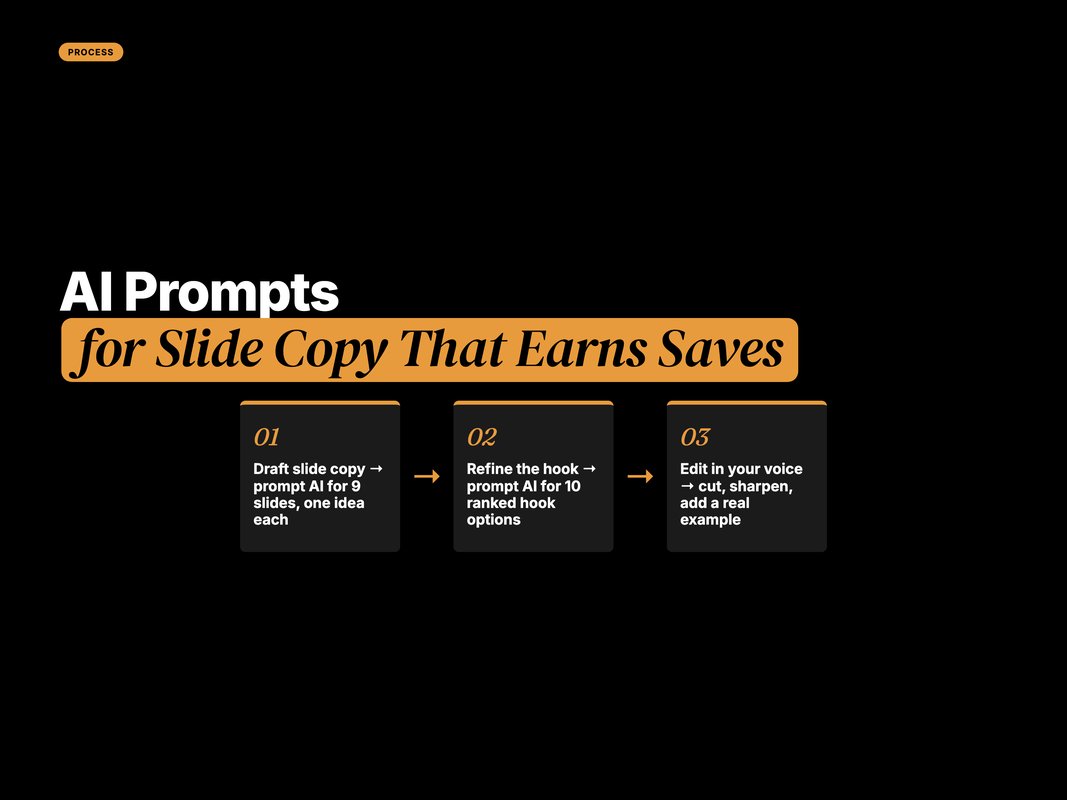
The trick is a tight prompt. Give it the topic, the audience, and the slide count. Ask for one idea per slide.
Here is a copy-paste prompt for slide copy.
You are a senior social copywriter. Write copy for an Instagram
carousel of 9 slides on [TOPIC] for [AUDIENCE].

Rules:
- Slide 1 is a bold hook with one clear promise. Under 12 words.
- Slides 2 to 8 each teach ONE idea. Max 25 words per slide.
- Slide 9 is a CTA that asks readers to save and share.
- Plain, punchy sentences. No jargon. No emojis.

Output as: Slide 1: ... Slide 2: ... and so on.
Want stronger hooks? Run a second pass just for slide one.
Write 10 alternative hooks for slide 1 of a carousel on [TOPIC].
Each hook must promise one clear outcome and create curiosity.
Keep each under 12 words. No clickbait. Rank them best to worst.
Then edit. AI gives you a first draft, not a final post.
Most marketers already work this way. Over 80% of marketers now use AI to help create content (Source: HubSpot, 2025 — blog.hubspot.com). The edge is not access. It is the quality of your prompts and your edits.
Aim the prompt at save-worthy topics. Some ideas earn saves almost every time.
Point AI at these buckets: how-to steps, checklists, frameworks, mistake lists, and cheat sheets. Each gives the reader a reason to return.
That reason is the whole point. A save is a promise to come back. Skip topics that only entertain, because a funny post gets a like and moves on.
Q: Can AI write my whole Instagram carousel?
A: It can draft the whole thing, but it should not ship as-is. Use AI for structure, hooks, and first-pass copy. Then rewrite in your voice and add a real example, because that is what makes a carousel feel human.
AI Prompts for Carousel Design and Visuals
Copy earns the save. Design earns the swipe. You need both.
For visuals, three tools do the heavy lifting. Canva Magic Design for fast layouts. Ideogram for clean text-on-image. Adobe Firefly for custom art and backgrounds.
Start with a design prompt for your slide system.
Create an Instagram carousel design system for [TOPIC].
- Portrait format, 1080 x 1350 pixels.
- One accent colour, one dark base, one clean sans-serif font.
- Slide 1: large bold hook, high contrast.
- Value slides: big heading, short body, lots of white space.
- Final slide: clear CTA and a save icon cue.
Keep it consistent across all 9 slides.
Then a per-slide visual prompt for tools like Firefly or Ideogram.
Design slide [N] of an Instagram carousel on [TOPIC].
Headline: "[SLIDE HEADLINE]".
Style: minimal editorial, one accent colour on dark base,
generous white space, no clutter. Portrait 1080 x 1350.
One rule holds it together. Consistency. Same font, same accent, same margins on every slide.
That visual repetition builds a brand people recognise. It also keeps the reader swiping without friction.
Q: Which AI tools are best for Instagram carousel design?
A: Canva Magic Design is fastest for layouts and templates. Ideogram renders clean text inside images. Adobe Firefly is strong for custom backgrounds and art. Pick one, build a reusable template, and reuse it for every carousel.
Good vs Bad Carousel: What Actually Changes
The difference between saved and scrolled is rarely the design. It is the decisions behind it.
A bad carousel talks about itself. A good one helps the reader do something.
A bad carousel crams four ideas on slide one. A good one makes one promise and keeps it.
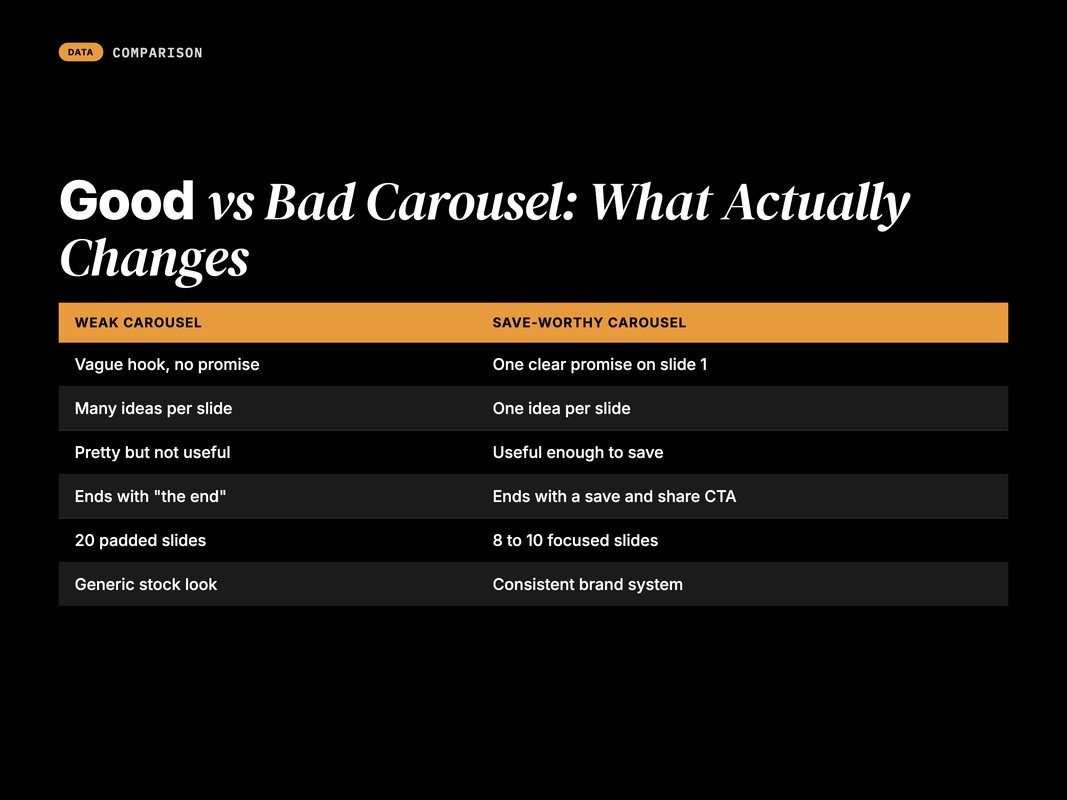
Here is the honest split:
| Weak carousel | Save-worthy carousel |
|---|---|
| Vague hook, no promise | One clear promise on slide 1 |
| Many ideas per slide | One idea per slide |
| Pretty but not useful | Useful enough to save |
| Ends with "the end" | Ends with a save and share CTA |
| 20 padded slides | 8 to 10 focused slides |
| Generic stock look | Consistent brand system |
Notice the pattern. Save-worthy carousels are useful and focused. Weak ones are decorative and vague.
Static single images keep sliding, too. Their engagement fell 17% year over year (Source: Socialinsider, 2026 — socialinsider.io). Carousels are where attention still lives.
Q: What makes an Instagram carousel bad?
A: A weak hook, too many ideas per slide, and no reason to save. Bad carousels look polished but teach nothing useful. If a reader cannot describe what they learned, the carousel failed, no matter how good it looks.
Slide-by-Slide: The Structure That Ships
Frameworks are nice. A build map is better.
Here is a 9-slide structure you can copy for almost any topic. Fill each slot and post.
| Slide | Job | What goes on it |
|---|---|---|
| Slide 1 | Hook | Bold promise, big text, high contrast |
| Slide 2 | Context | Why this matters right now |
| Slide 3 | Value 1 | First idea, one clear point |
| Slide 4 | Value 2 | Second idea, with a mini example |
| Slide 5 | Value 3 | Third idea, one takeaway |
| Slide 6 | Value 4 | Fourth idea or a common mistake |
| Slide 7 | Proof | A stat, a result, or a quick before-after |
| Slide 8 | Summary | Recap the promise in one line |
| Slide 9 | CTA | Save this, share it, follow for more |
Use this as a template, not a cage. Drop a slide if the idea is small.
The proof slide matters most for saves. A cited stat gives people a reason to keep the post as a reference.
Carousels back this up with data. They hold the highest engagement rate of any Instagram format, at 0.55% (Source: Socialinsider, 2026 — socialinsider.io). Structure is why.
Quick Facts: Save-Worthy Instagram Carousels at a Glance
- Carousels hold the highest Instagram engagement rate, at 0.55%, from 35M posts across 447,613 pages — (Source: Socialinsider, 2026 — socialinsider.io).
- Instagram now caps posts at five hashtags, so quality beats quantity — (Source: Social Media Today, 2025 — socialmediatoday.com).
- Over 80% of marketers now use AI to help create content — (Source: HubSpot, 2025 — blog.hubspot.com).
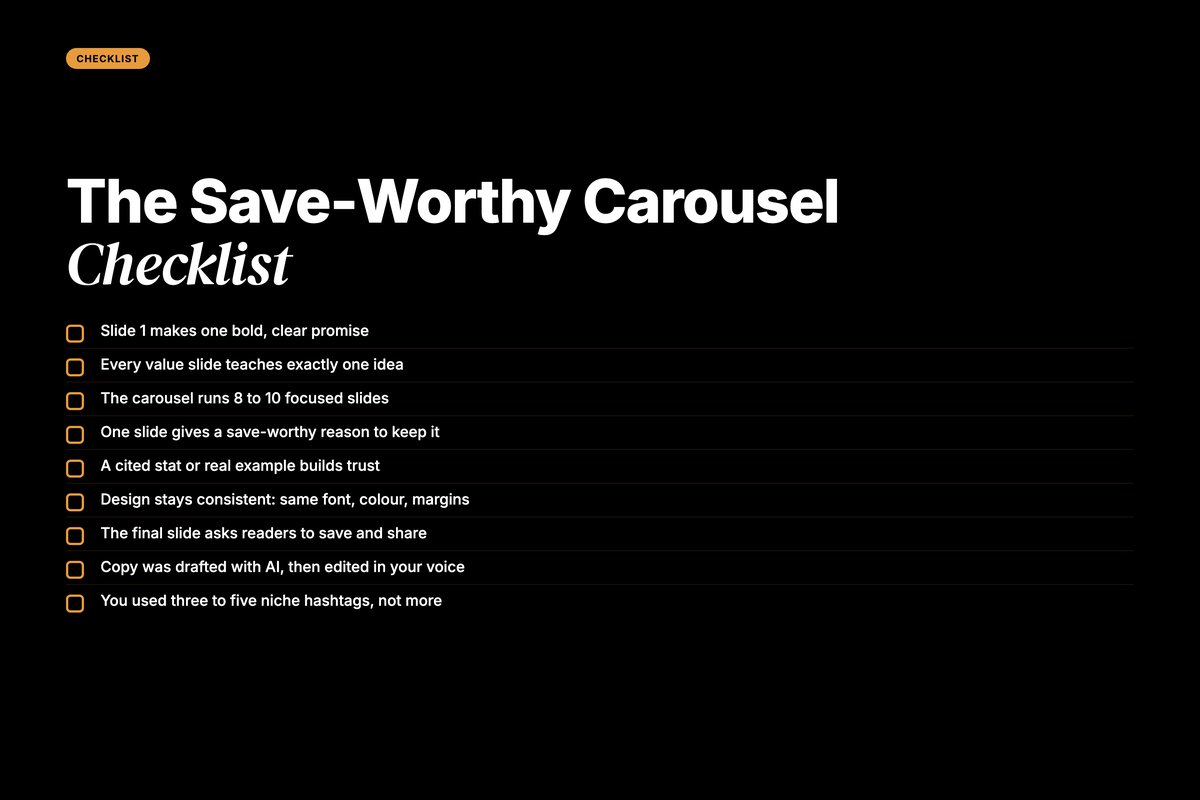
The Save-Worthy Carousel Checklist
Run this before you post. If a slide fails a box, fix it or cut it.
- Slide 1 makes one bold, clear promise.
- Every value slide teaches exactly one idea.
- The carousel runs 8 to 10 focused slides.
- One slide gives a save-worthy reason to keep it.
- A cited stat or real example builds trust.
- Design stays consistent: same font, colour, and margins.
- The final slide asks readers to save and share.
- Copy was drafted with AI, then edited in your voice.
- You used three to five niche hashtags, not more.
One more note on hashtags. They label your topic now, they do not drive reach.
Instagram capped posts at five hashtags to push quality over spam (Source: Social Media Today, 2025 — socialmediatoday.com). So use a few niche tags and move on.
Your real reach engine is saves and shares. The checklist above protects both.
Then measure and improve the next one. You cannot improve what you do not track. Saves are your north star.
Open Instagram Insights on each carousel. Look past likes.
Check three numbers first:
- Saves per reach, to gauge real usefulness.
- Shares per reach, to gauge pass-along value.
- Swipe-through, to see where people drop off.
If saves are low, your value was thin. If people drop off by slide 3, your middle slides lag.
This matters because shares drive distribution. Instagram treats sends and shares as a top ranking signal (Source: Later, 2026 — later.com).
So double down on the carousels that got saved and sent. Feed your winners back into your AI prompts.
That loop compounds. Each round, your save rate climbs a little higher.
Q: How do I know if my carousel is working?
A: Track saves per reach and shares per reach, not just likes. High saves mean the content was useful enough to keep. Watch swipe-through to find where people drop off, then fix those slides in your next post.
How We Build AI-Native Content at YARD
We are an AI-first growth marketing agency. Performance marketing, LLM SEO, AI creatives, and AI funnels for D2C and B2B brands.
Carousels are a small part of a bigger system. But they show how we work.
We do not use AI to replace judgment. We use it to move faster on the boring parts.
For a D2C brand we work with, that meant one thing. A reusable carousel engine, not one-off posts.
We built a prompt library for slide copy. We built a locked design system for visuals. Then a human editor shaped every post.
The result was simple. More carousels shipped, in a consistent voice, without burning the team out.
That is the pattern across our work. AI for speed and structure. People for taste and truth.
If your content feels slow and inconsistent, the fix is rarely more effort. It is a better system. We build those.
[internal link: ai-content-workflow-guide]
Conclusion: Ship Carousels Worth Keeping
Save-worthy Instagram carousels with AI come down to a few habits. A strong hook. One idea per slide. A clear save-and-share CTA.
Use AI to draft copy and design fast. Then edit hard, in your own voice.
Keep it to 8 to 10 focused slides. Give people a real reason to keep the post. Saves and shares will do the rest.
The 2026 Instagram algorithm rewards content people return to. Carousels are built for that job. Build the system once, and every post gets easier.
Want a content engine like this for your brand? That is what we do at YARD. Start with a conversation about your goals.
FAQ
Q: How do I make an Instagram carousel save-worthy?
A: Make it useful enough to return to. Teach one clear thing, break it into 8 to 10 slides, and give a reason to save on the last slide. Saves signal real value to the algorithm, so a reference-style carousel beats a pretty one.
Q: How many slides should an Instagram carousel have?
A: Aim for 8 to 10 slides. That range gives room to teach without losing swipers. Use fewer if the idea is small. Never pad slides just to hit a number, because drop-off rises fast once the value thins out.
Q: Which AI tools help build Instagram carousels?
A: Use Claude or GPT to draft slide copy and hooks. Use Canva Magic Design, Ideogram, or Adobe Firefly for visuals. Keep AI for speed and structure, then edit every slide in your own voice before you post.
Q: Do hashtags still help Instagram carousels in 2026?
A: A little, but far less than before. Instagram now caps posts at five hashtags. Use three to five niche tags to label your topic, then let saves, shares, and watch time do the real ranking work.
Q: Why do carousels beat single images on Instagram?
A: Each swipe counts as engagement, and unfinished carousels get re-shown in Feed. Carousels also drive more saves than any other format. That extra dwell time and save rate is why they hold the highest engagement rate.
Q: Should AI write my whole carousel?
A: No. Use AI to draft structure, hooks, and first-pass copy. Then rewrite in your own voice and add real examples. AI is a co-pilot for save-worthy Instagram carousels, not a replacement for your point of view.
Insights from Our Experts
Explore our latest articles on digital marketing strategies.