

Two weeks ago, Google gave social posts their own search analytics. It was a limited rollout. Many accounts saw nothing. That waiting period is over.
On July 29, 2026, Google announced that platform properties are now globally available to everyone. Every brand and creator can now open Search Console and track their Instagram, TikTok, X, and YouTube content in Google Search. On the same day, Google shipped something just as useful. It published an official guide on how to analyze your social and video performance.
So this is no longer a "coming soon" story. The tool is live. The manual is public. The only question left is who uses it first.
We covered the original launch in our first platform properties breakdown. This post is the follow-up. It covers what changed on July 29 and what Google's new guide actually teaches. It also lays out the exact workflow we would set up this week.
A quick recap: what platform properties are
A platform property is a Search Console property for a social account. Not for a website. You connect an account, and Google shows you how that account performs in Search, Discover, and Google News.
At launch, it covers four platforms: Instagram, TikTok, X, and YouTube. Setup is simple. You authorize the account in Search Console. There is no DNS record. There is no code snippet. The details live in Google's setup documentation.
One note on access. Google says that if you already set up a Search profile, you should have data for that platform in Search Console now. So many brands are one login away from a report they have never seen.
What changed on July 29
Two things changed. Both matter.
First, the rollout finished. The feature moved from a gradual release to full global availability. In Google's own words from the announcement: "Today, platform properties are globally available to everyone." If you checked two weeks ago and saw nothing, check again.
Second, Google published a playbook. The new guide explains what insights are available and how to read them. Google says it wrote the guide for content creators, social media managers, and SEO professionals. That framing is worth pausing on. Google now treats social managers as a search audience. That has never really happened before.
The five plays in Google's new guide
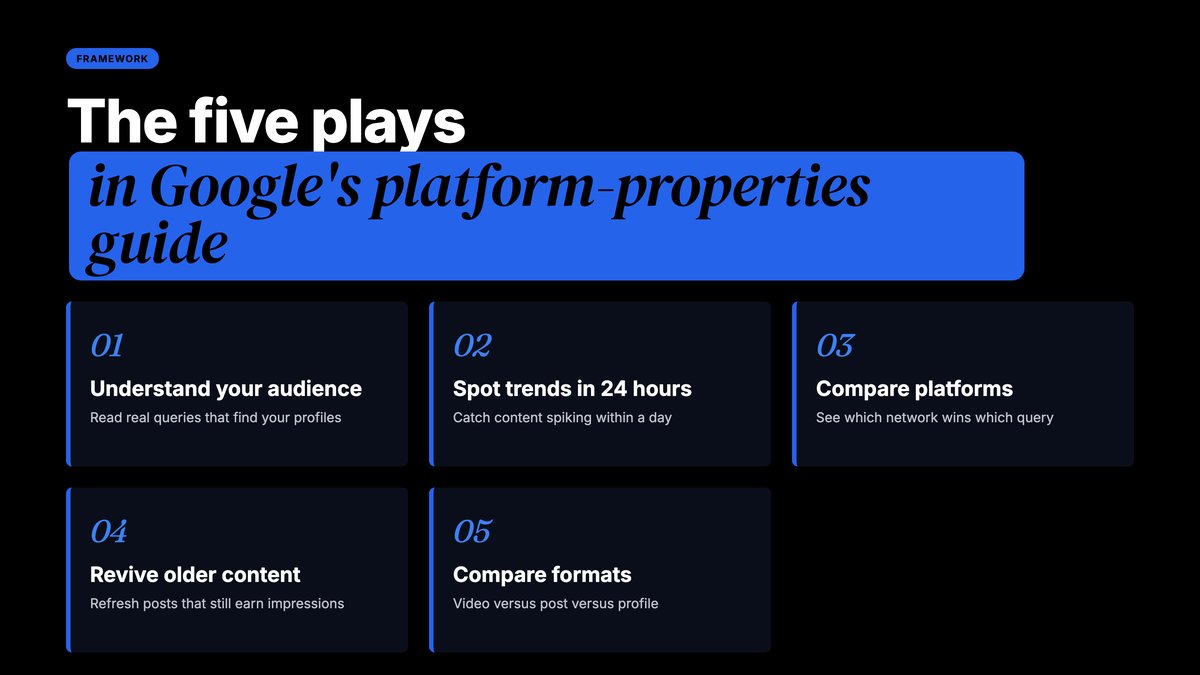
The announcement previews five ways to use the data. Each one maps to a real marketing task. Here is each play, plus how we would apply it.
1. Understand your search audience
The Insights report groups the queries that send people to your social content. It shows the top query groups. It also shows which groups are trending up and which are trending down.
This is the big one. For years, social teams guessed what their audience wanted. They read comments. They watched competitors. Now Google hands you the actual search terms that lead people to your Reels and videos.
Google's guide suggests using these themes as "data-driven inspiration for your next video topic, caption, or hashtag strategy." Translate that into practice. Before you plan next month's content calendar, pull the trending-up query groups. Make content for those. Retire the themes that are trending down.
2. Spot trending content within 24 hours
The guide highlights a 24-hour filter. It shows sudden traffic spikes from Search to your recent posts.
Speed matters here. A post that spikes in search is telling you demand exists right now. Google's advice is to cross-promote that trending content on your other platforms. So a TikTok that spikes becomes tomorrow's Reel, Short, and LinkedIn post. Most teams find out a post performed well a week later. This filter shrinks that lag to a day.
3. Compare platforms side by side
Each platform property is separate. But Google's guide recommends exporting the data from multiple properties into a single spreadsheet. Then you can compare YouTube against Instagram against X against TikTok.
This answers a question every marketing lead asks: where should we spend our effort? Until now, the answer mixed in-app metrics that do not match. Reach on one platform is not reach on another. Search clicks are one currency across all four. That makes this the first clean cross-platform scoreboard for social search.
4. Revive and optimize older content
The guide points at a quiet gold mine: older videos that are regaining search traction. When an old post starts winning searches again, you have options. Pin it to your profile. Expand it into a part two. Refresh the caption.
Google also suggests using Search Console annotations here. Annotations let you mark the date you changed something. Rewrite a YouTube title. Add an annotation. Then watch whether search traffic moves after the change. That is a controlled experiment on social copy. It turns caption edits from guesswork into testing.
5. Compare formats
The last play uses page filters and comparison mode. You can compare playlists against single videos. You can compare short-form clips against full-length videos.
Every content team debates format. Shorts or long form? Clips or full episodes? Those debates usually run on opinion. Now you can run them on search data from your own account.
The setup checklist for this week
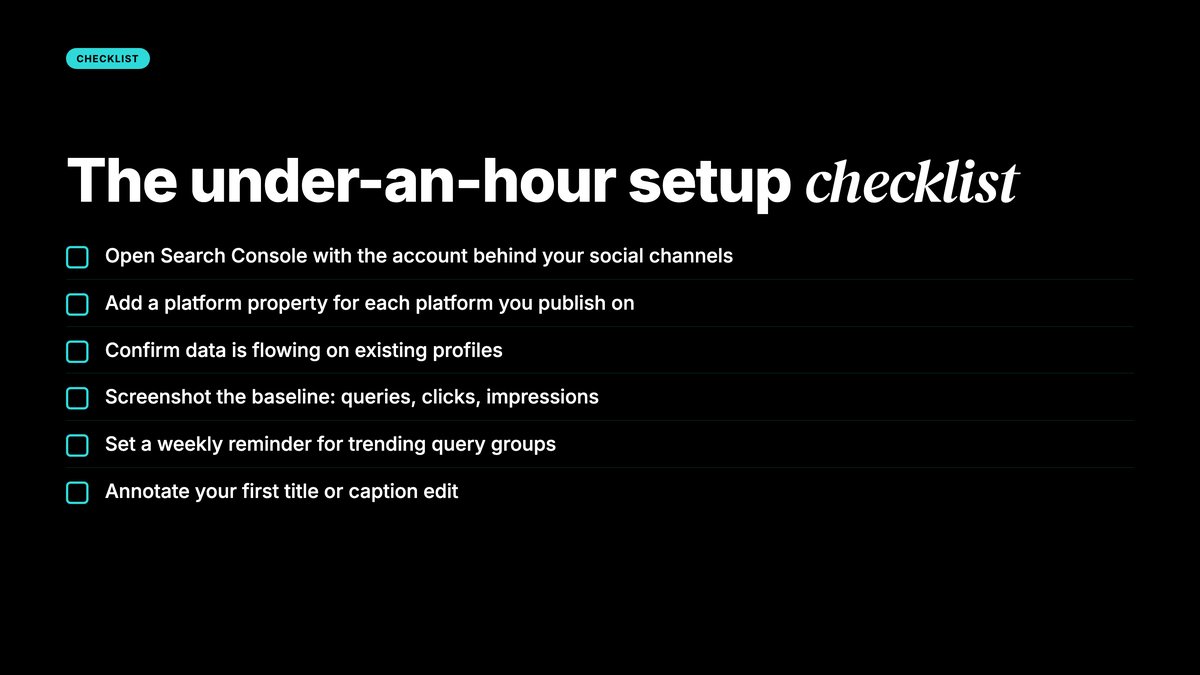
Here is the exact sequence we would run for a brand this week. It takes under an hour.
- Open Search Console with the account that runs your social channels.
- Add a platform property for each of the four platforms you publish on. Follow Google's setup steps.
- If a profile was already set up, confirm the data is flowing. Google says existing Search profile owners should see their data now.
- Screenshot the baseline. Record top queries, clicks, and impressions for each platform.
- Set a weekly reminder to pull the trending query groups.
- Add one annotation the first time you edit a title or caption. Start the habit early.
That last step builds the muscle that matters. The teams that win with this tool will be the ones that treat social copy like search copy. Testing is how that starts.
What this means for your reporting
Here is the bigger shift. Social search is now a reportable channel.
Before July, a social team's monthly report had reach, engagement, and follower growth. Search was invisible. Any Google traffic to your posts was a rounding error nobody could see.
Now the monthly report can carry a new section. Social search performance. Clicks from Google to each platform. Top winning queries. Trending themes. Month-over-month movement. It reads exactly like an SEO report, because it is one.
That changes conversations with clients and leadership. "Our Reels are doing well" is a soft claim. "Our Reels won these twelve searches this month, and clicks rose" is a hard one. We saw the same shift when Google put AI image generation inside Search. Surfaces keep merging. The teams that measure the merge first keep the advantage.
There is also a client-facing angle for agencies. Most brands do not know this exists yet. Walking into a meeting with a platform-property audit is a fast way to show value. The data is free. The access takes minutes. The insight is new.
Who gains the most
Not every brand gains equally. Three groups should move first.
Creator-led brands gain the most. If your presence lives on Instagram or YouTube rather than a website, you just got the search analytics you never had. No site required.
Video-heavy teams come next. YouTube content ranks in search constantly. Shorts surface in Discover. This tool finally shows which queries drive that.
Local and product brands should watch too. Social posts increasingly answer buying questions. If people find your posts through searches, you want to know which ones. Those queries are a free market-research feed.
A 30-day operating rhythm
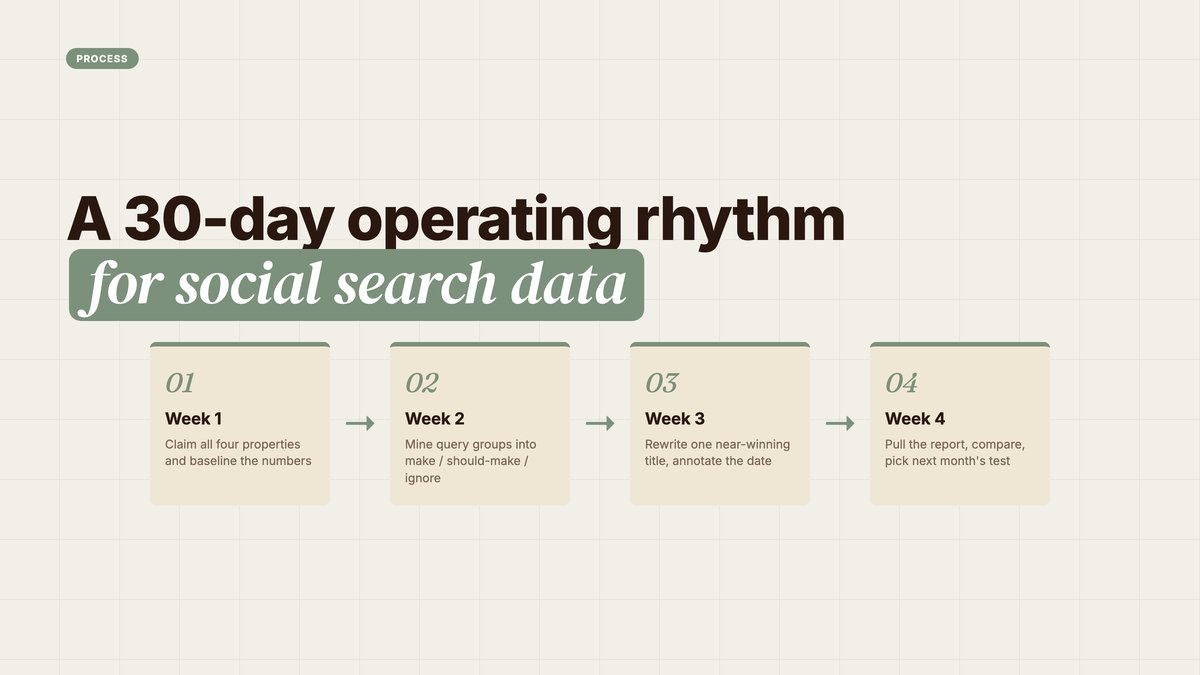
Data only helps if someone looks at it. Here is a simple monthly rhythm that keeps the reports alive. It asks for about two hours a month.
Week one: claim and baseline. Set up all four properties. Export the current numbers into one sheet. Note your top ten queries per platform. This sheet becomes your before picture.
Week two: mine the queries. Read the query groups like a keyword list. Sort them into three buckets. Content we already make. Content we should make. Content we should ignore. Feed the second bucket straight into your content calendar.
Week three: run one test. Pick one post with steady impressions but weak clicks. Rewrite its title or caption for the query it almost wins. Add an annotation with the date. Do not touch anything else about the post.
Week four: review and report. Check the 24-hour filter twice this week for spikes. Then pull the month's numbers into your report. Compare against the baseline. Note what the test did. Pick next month's test.
That is the whole system. One sheet, one test, one report. Small, but it compounds. After three months you will know things about your audience that competitors cannot see.
What a social search section looks like in a report
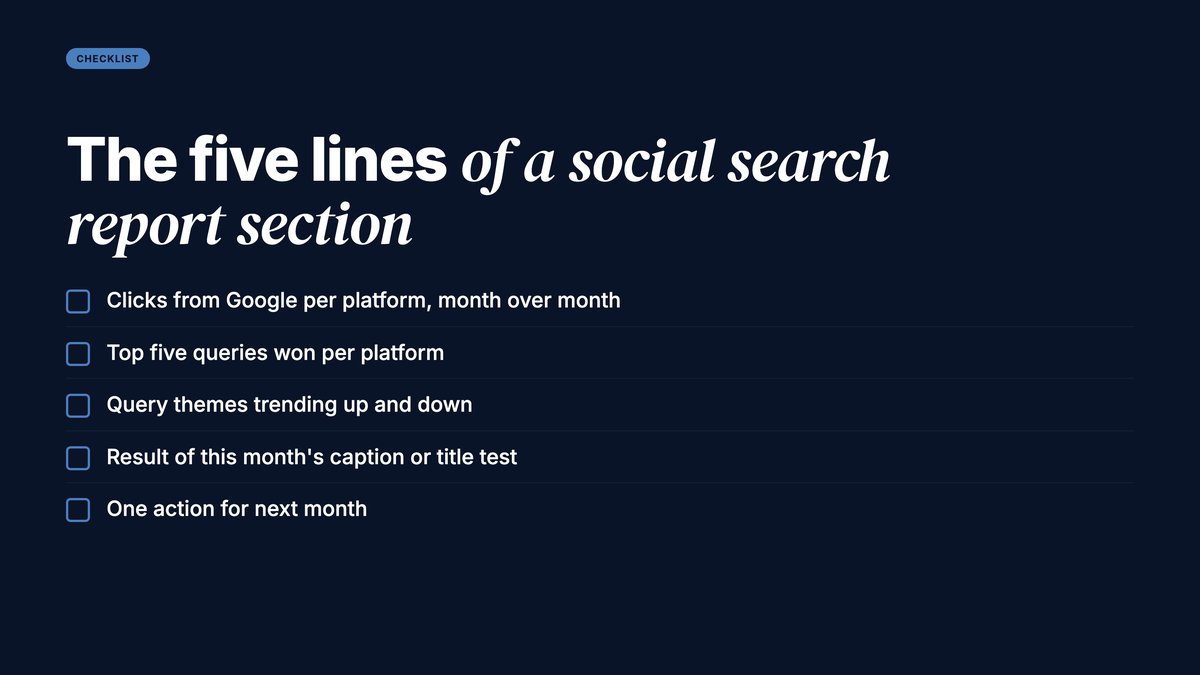
Keep the report section tight. Five lines cover it.
- Clicks from Google to each platform, with the month-over-month change.
- The top five queries won per platform.
- Query themes trending up and down.
- The result of this month's caption or title test.
- One action for next month, based on the data above.
That format works for an internal review or a client deck. It borrows the shape of a classic SEO report on purpose. Familiar shapes get read.
The limits to keep in mind
Keep expectations honest. The data only covers your performance on Google surfaces. Search, Discover, and Google News. It says nothing about the platform's own algorithm.
Small accounts may see thin data at first. If your posts rarely surface on Google, the reports will be quiet. That is not a bug. It is a baseline. It tells you where you start.
And the view is private. Platform properties are an owner-only dashboard. They are not a public scorecard. Use them to steer decisions, not to brag.
One more practical note. Four platforms are covered today. LinkedIn, Pinterest, and others are not on the list yet. If Google expands the list, the workflow above will carry over as is.
The YARD take
Google spent 2026 dissolving the line between search and everything else. AI Overviews answer questions. Discover feeds content. And now social accounts get Search Console.
The pattern is clear. Google treats your entire content footprint as one search surface. Your website, your videos, your posts. All of it competes for the same queries. All of it is now measurable in one place.
So the move is not complicated. Claim the properties. Read the queries. Write captions like search copy. Test with annotations. Report it as a channel. Repeat monthly.
Most teams will skip this because it feels like an SEO task, and social teams do not own SEO tasks. That gap is the opportunity. Close it before your competitors do.
FAQ
What changed on July 29, 2026? Two things. Platform properties finished rolling out and became globally available to everyone. Google also published an official guide to analyzing social and video performance.
Which platforms can I track? Instagram, TikTok, X, and YouTube. Each becomes its own property in Search Console.
Do I need a website? No. A platform property connects a social account directly. There is no DNS change and no code to add.
I already had a Search profile. Do I need to set anything up? Probably not. Google says Search profile owners should already have access to their platform data in Search Console. Log in and check.
What is the fastest win for a busy team? The 24-hour filter. It flags posts that are spiking in Google Search right now, so you can cross-promote them the same day.
Can I test whether caption changes help? Yes. Use Search Console annotations to mark the date you changed a title or caption. Then compare search performance before and after.
Does this show how I perform inside each app? No. It only measures Google surfaces: Search, Discover, and Google News. In-app insights remain separate.
Sources
- Google Search Central Blog — Platform properties roll out globally, plus a new social and video performance guide (July 29, 2026; Daniel Waisberg and Lizzi Sassman)
- Google Search Central Blog — original platform properties announcement
- Google Search Central Docs — Analyze your social and video content performance
- Google Help — About platform properties · Search Console annotations · Set up your Search profile
Insights from Our Experts
Explore our latest articles on digital marketing strategies.